Hood Repz
Play in your browser.
Play Hood RepzBLACK SALT ARCADE · PLAY WITH PURPOSE
One clear start button for each game. Open the instructions whenever you need them.
Choose your game, then follow its sign-in and access instructions. Lifetime roaming does not include paid gameplay or every chapter. Existing purchases and completed levels keep their own rights.
Play in your browser.
Play Hood RepzPlay in your browser.
Play Bubble Blast Blitz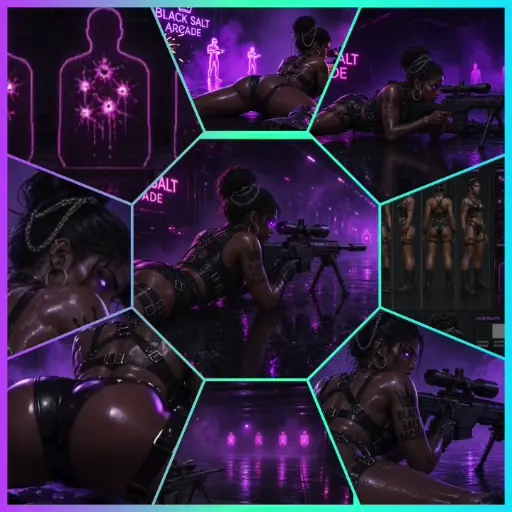
Game entry on Muse
Survive the endless hall and evolve your weapon.
Play Black Salt Lane →Use the two on-screen joysticks to control your view.
Follow the entry instructions inside the game.
Restore access or get help →
Owner-only beta
Steer the rhythm or let the boss take over after three idle seconds.
Open Slime Boss →Drag to spin, pinch to zoom, or use the joystick below the stage.
Gameplay is limited to the owner account.
Restore access or get help →
Verified gameplay pass
Dodge obstacles, crack eggs and continue your saved run.
Play or resume Run 1 →Use the runner’s on-screen controls and device instructions. Your checkpoint is restored after eligible access is verified.
If access stalls, choose Retry restore or Check my pass again. Use the same account and wallet as your purchase; do not pay again to fix a loading problem.
Restore access or get help →
Open flight · separate membership offers
Land on branches, climb higher and protect your three cash reserves.
Play Founder Owl Fly →Phone: hold the left or right half of the playfield. Keyboard: ← → or A / D. Release to stop steering. P or Escape pauses; use Resume flight to continue.
Music, sound effects and voice have separate switches. Start with a tap to enable browser audio. Founder Fluent subscriptions and business board placement are separate from this flight.
Restore access or get help →
Free local practice · sign-in for shared matches
Protect your king and checkmate your opponent.
Play Corporate Chess →Tap or click to select and move. Double-tap a piece for its NFM. In 3D, enable Rotate view to drag the camera and pinch to zoom; turn it off to move pieces. Classic view is also available.
Each online player signs in with their own account. Camera and microphone are optional. Business NFM placement has separate membership terms and does not change chess rules.
Restore access or get help →
Verified Arcade access or restored pass
Stack crystals into complete horizontal rows before the board fills.
Open Salt Stack beta → (new tab)Phone: ◀ ▶ move, ⟳ rotate, ▼ soft drop, ⤓ hard drop. Keyboard: ← → move, ↑ / X rotate, Z rotate back, ↓ soft drop, Space hard drop, P pause, M mute.
Level 5+ includes unlimited play when verified. Roaming alone is not gameplay. Use the access panel for PayPal or Solana options; Stripe card checkout is pending activation. Restore before purchasing again.
Restore access or get help →Separate Rift chapter verification
Change lanes, slash skulls and face armored guardians.
Enter Jester Run II →Use the controls displayed by the Rift on your device. This separate game manages its own play screen and checkpoints.
The linked Arcade Rift access check requires Level 9 or higher and matching membership credentials. A roaming purchase alone does not unlock this chapter. Never post your private access code.
Restore access or get help →Open your Arcade base to see the challenges your account has unlocked. Chapter access and completion are checked separately from a game pass.
Tap or click gold targets to drain the tube. Reach 25 targets within 60 seconds and keep the water below 100%. Misses raise the water. Use Pause to stop and Retry after the round ends.
Follow the Signal Bounty and Level 2 prompts in your base. In the original Signal Hunt, collect 35 green + signals in 50 seconds and leave pink × decoys alone. Complete the follow-up checkpoint to record progress.
Tap or click 40 green targets in 45 seconds. Avoid pink decoys and keep danger below 100%. Pause when needed; retry after the result.
Clear 40 cyan targets within two minutes, with no more than six misses. This timed challenge cannot be paused. Then answer the ten Web3 questions to complete its check.
Continue from your base’s next unlocked chapter. Follow its learning and verification prompts. A score or game win alone does not grant paid access to another chapter.
Tap Start before enabling sound, check your device volume, and use the game’s sound switch. Close other playing videos. Pause before switching apps. In chess, choose Classic view if 3D is slow. If an access check fails, retry it without purchasing again.
This guide does not award a badge or complete a chapter. Game progress and access are verified by the game.
Prefer reading? Explore the directive path →